
How to Install and Activate Your eSIM on Android — Step by Step
Learn how to set up your eSIM on a compatible Android device quickly and easily. Follow this guide to install your international data plan, activate your mobile connection, and start browsing on your trip — no physical SIM needed.
Before you begin:
- To use your eSIM, you must first install it and then activate it. Both steps are covered in this guide.
- Your device must support eSIM technology. You can check all eSIM-compatible devices here.
- Have your QR code ready on a second screen or printed out so you can scan it with your device’s camera.
- Your device must be connected to the internet (Wi-Fi) during the eSIM installation.
- Each QR code can only be installed once.
- If you delete the installed eSIM, you will not be able to scan the QR code again.
Installation

Open Settings
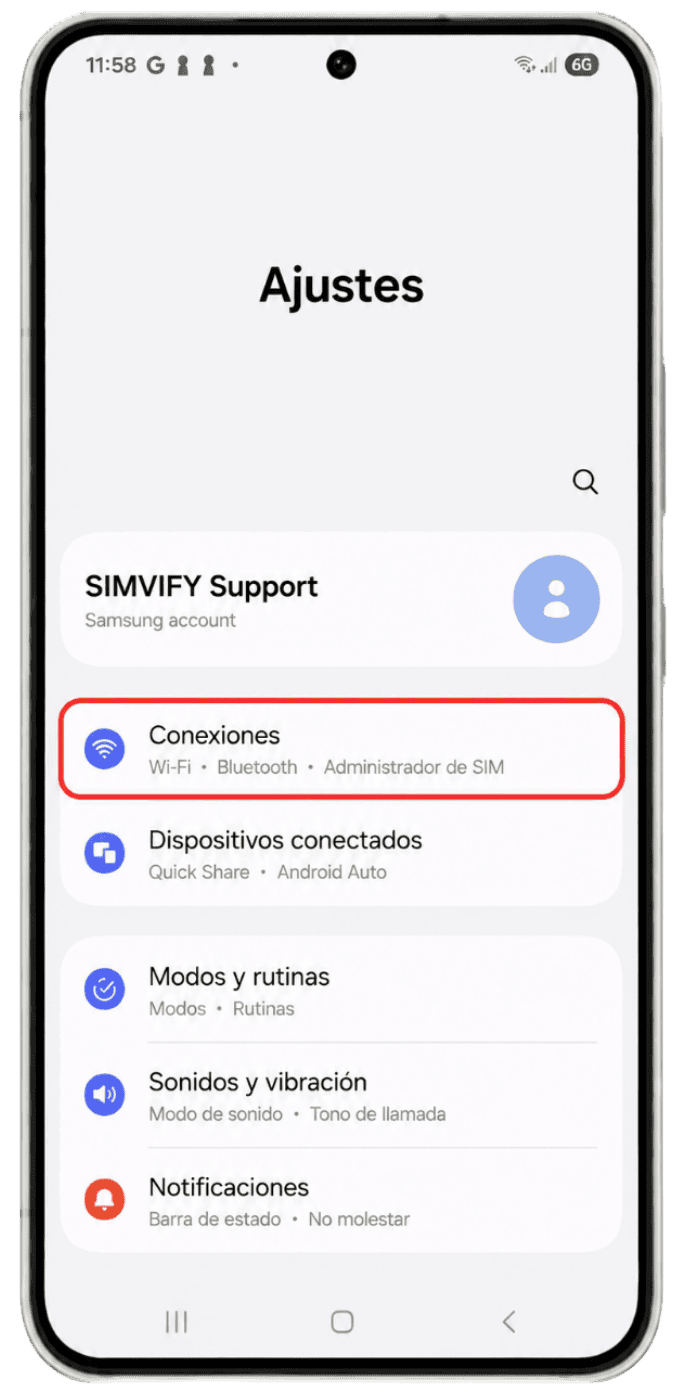
Open Settings on your device, make sure you have a stable internet connection, then tap Connections.
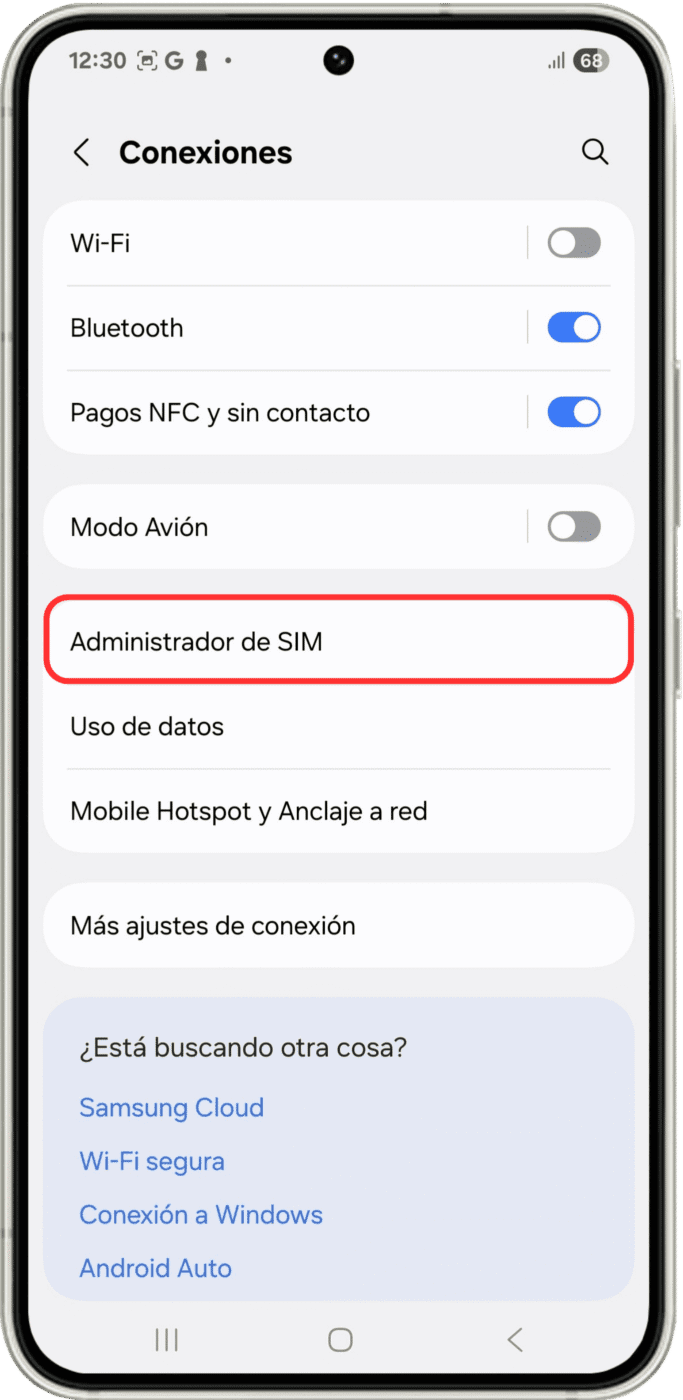
SIM Manager
Inside Connections, tap SIM Manager.
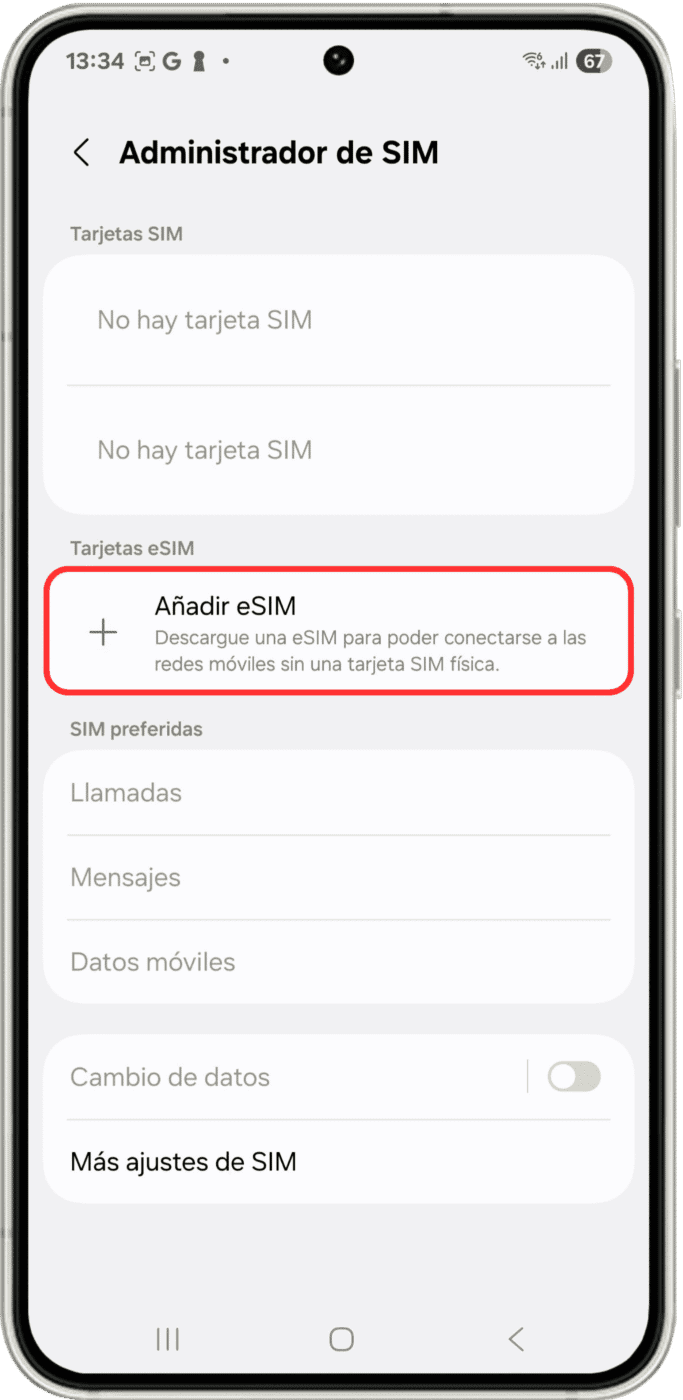
Add eSIM
In the "eSIM cards" section, tap Add eSIM to begin the installation process.
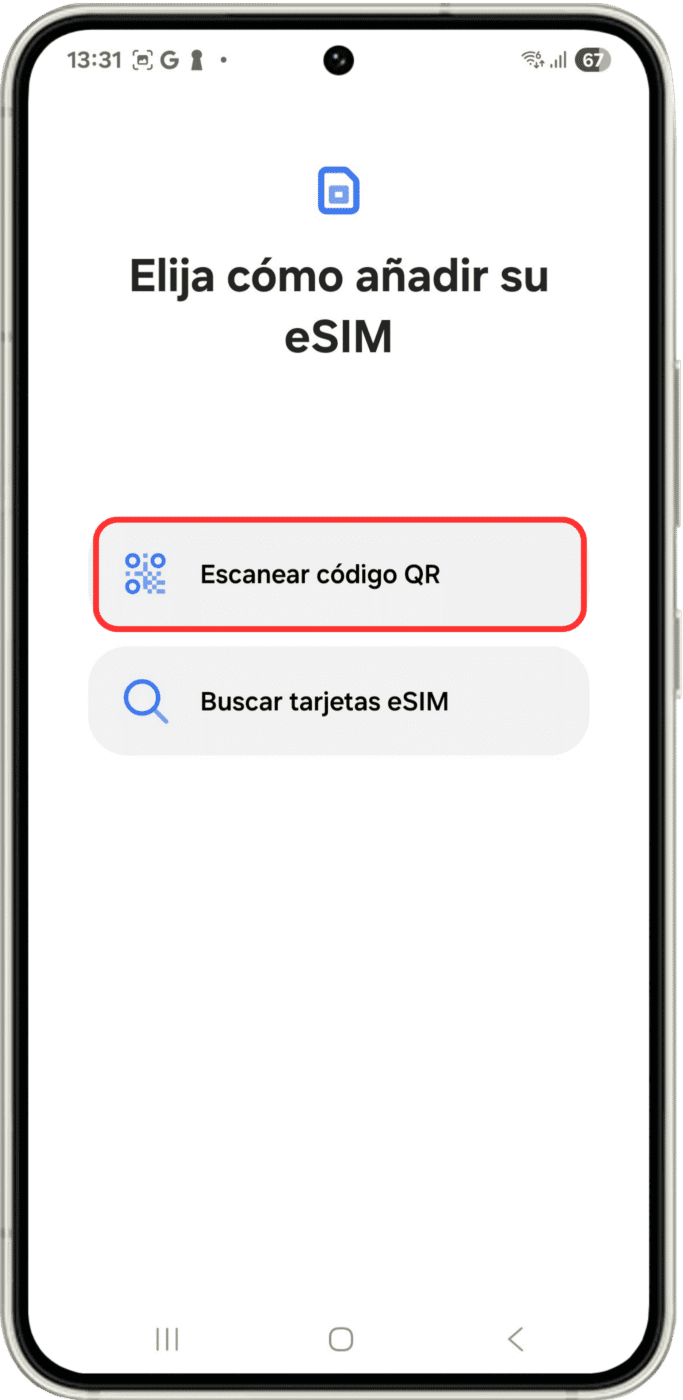
Choose Your Installation Method
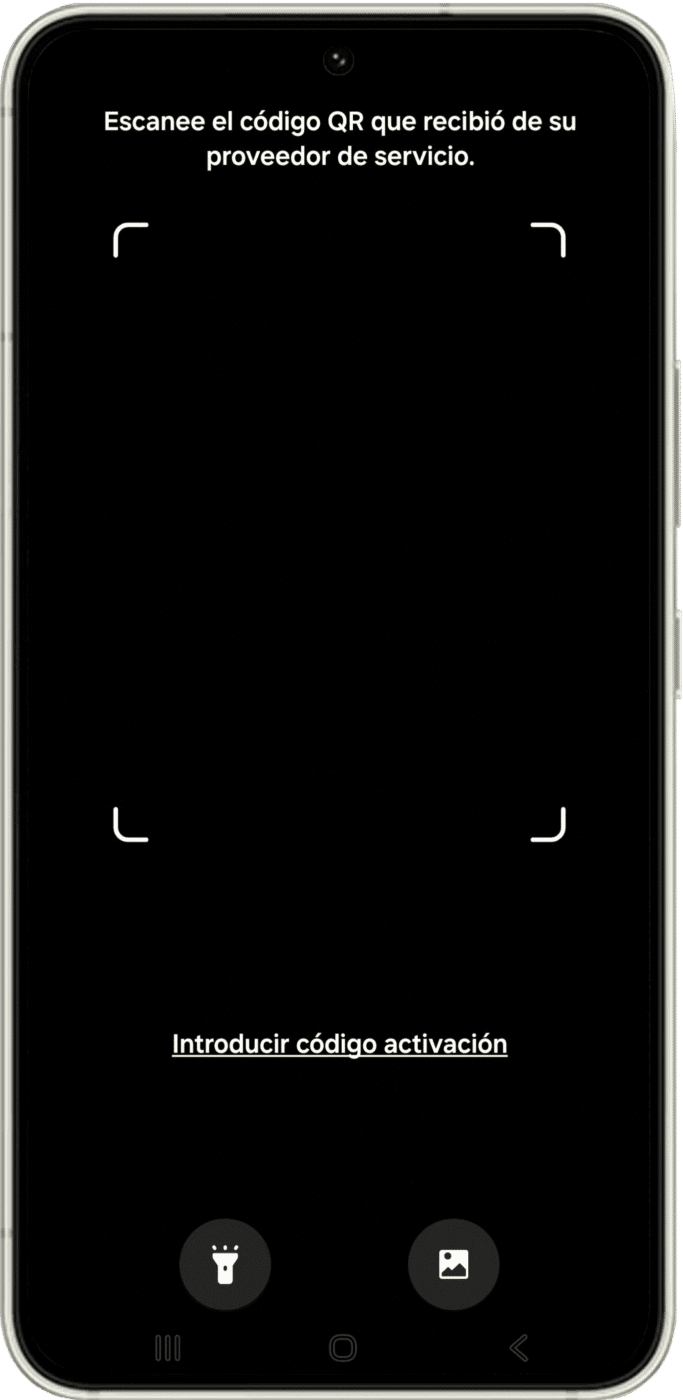
To proceed, tap Scan QR code. Make sure your QR code is ready to scan.
Scan the QR Code
Point your device's camera at the QR code and wait a few seconds while your new eSIM is detected.
Final Step
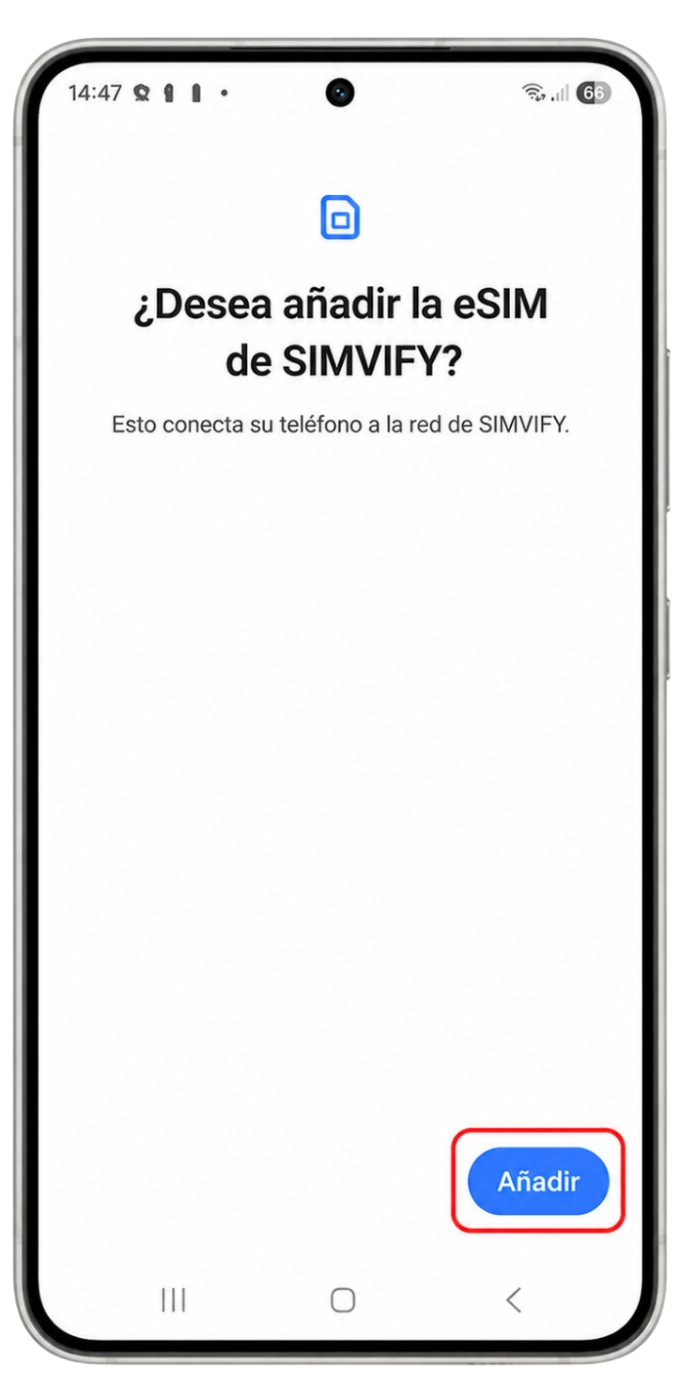
Your device will ask if you want to Add and Activate your new eSIM.
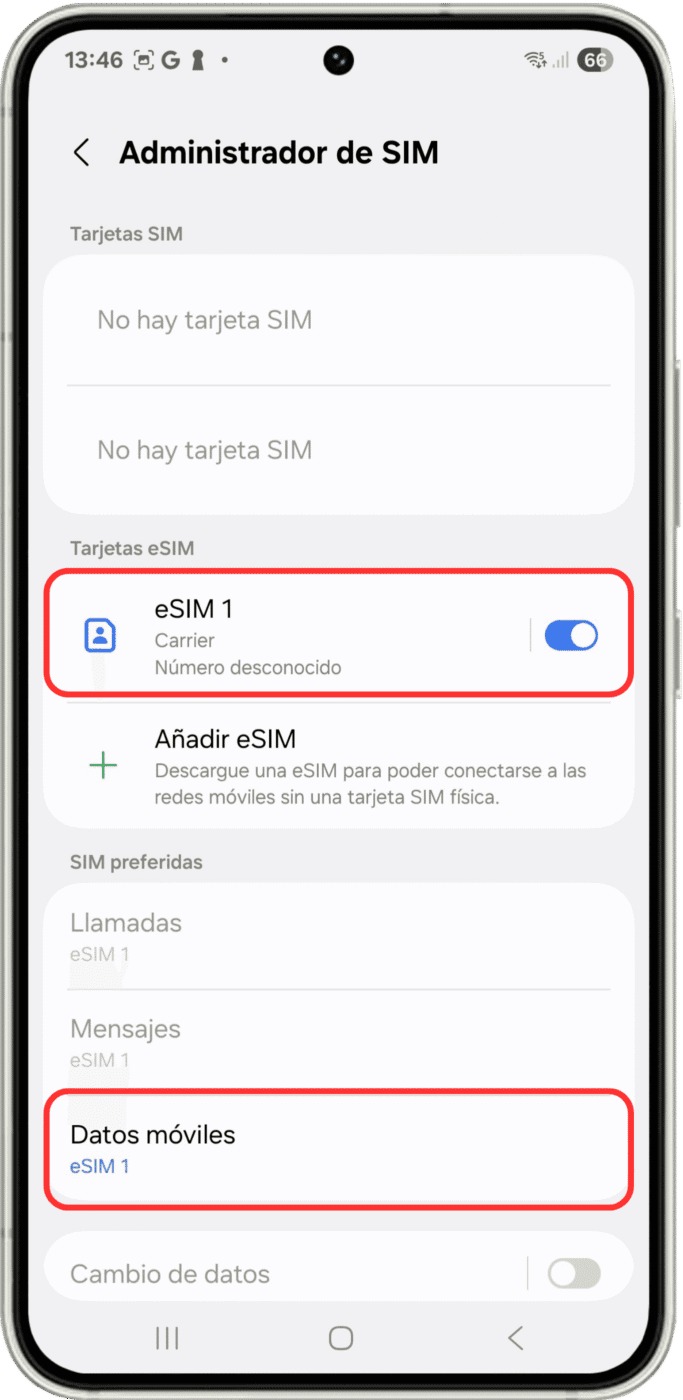
Your eSIM Is Now Installed!
Activation

SIM Manager
Go to SIM Manager as described in Step 2 of the installation process. Under "Preferred SIMs," tap Mobile Data and select your new eSIM. Then go back to SIM Manager and select your new eSIM again.
Activate and Label
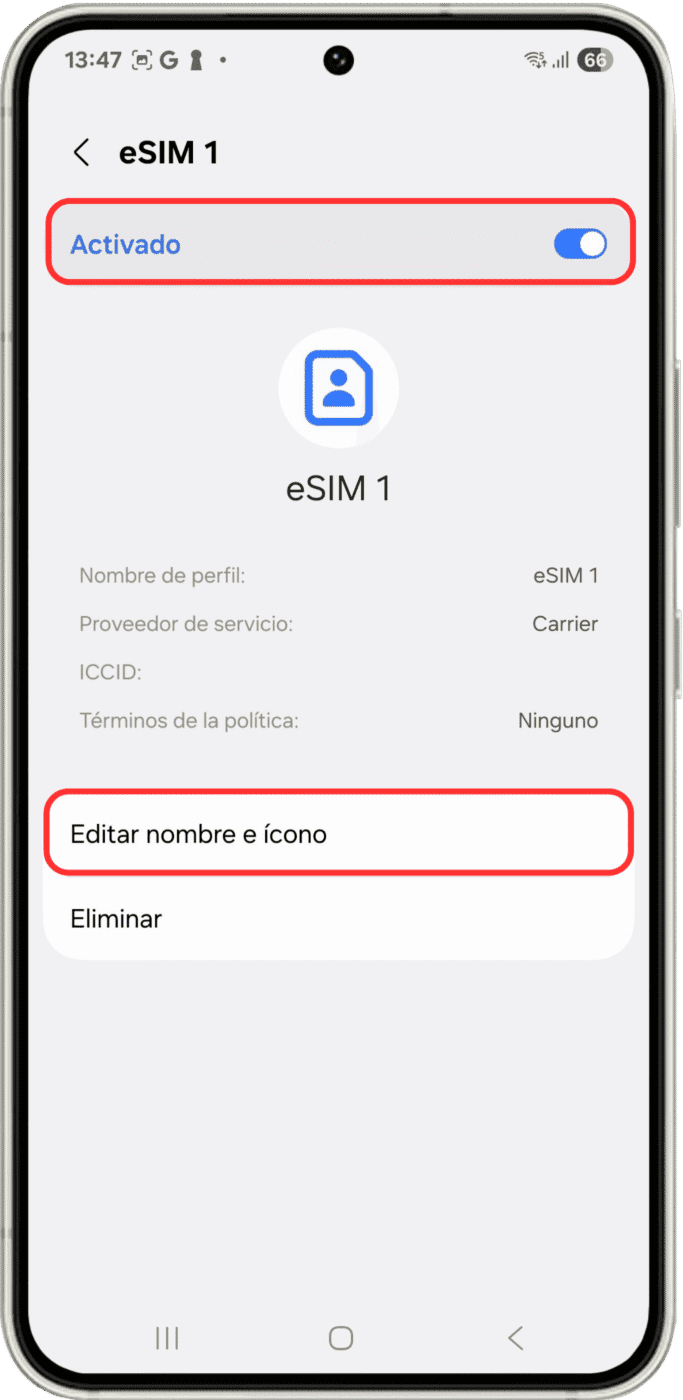
Once you've selected your new eSIM, activate it. We also recommend giving it a clear label — for example, "Simvify Europe" — by tapping Edit name and icon.
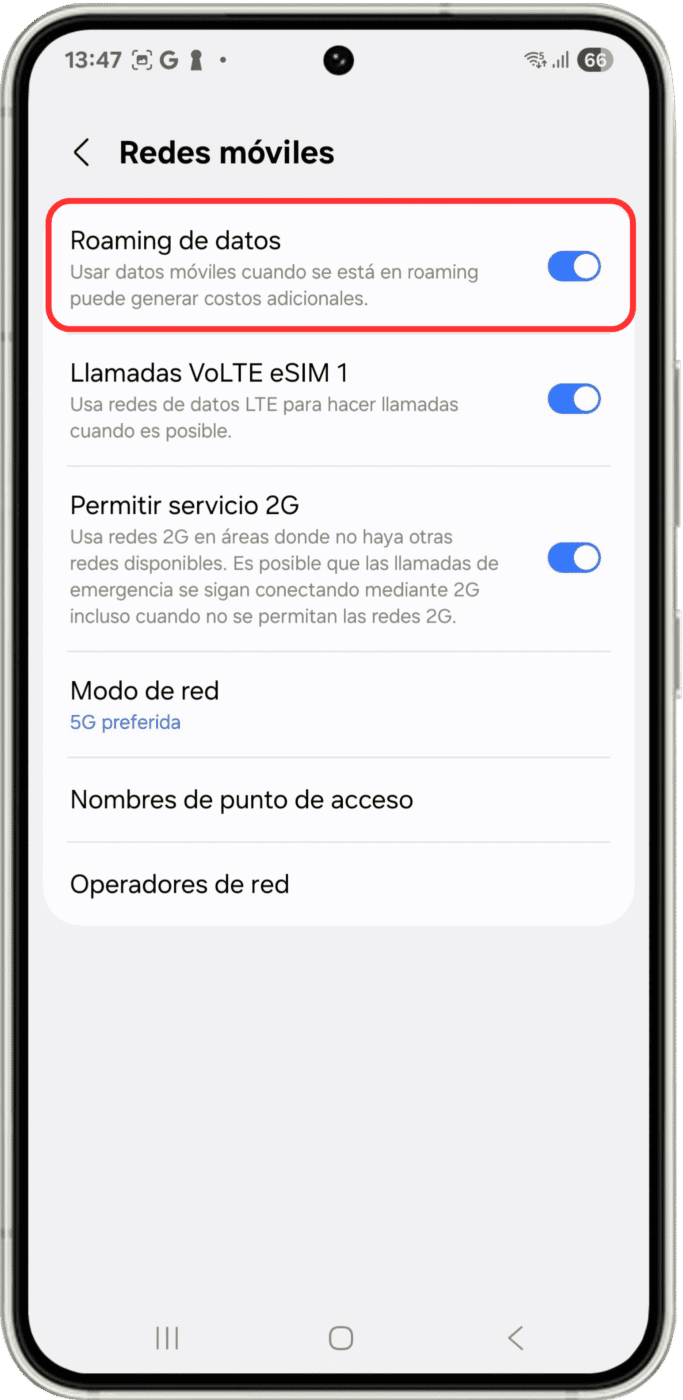
Enable Data Roaming
Go back to Connections as described in Step 1 of the installation, tap Mobile Networks, and make sure Data Roaming is turned on.

We recommend:
- Install your eSIM before your trip, and activate it once you’ve arrived at your destination.
- Disable your local carrier line (do NOT delete it) — only keep your SIMVIFY line active.
Your eSIM Is Active and Ready to Go!
Have Questions?
Our FAQ section has the answers you need
An eSIM is a digital SIM built directly into a compatible device. It lets you activate a mobile data plan without a physical SIM card — ideal for traveling and staying connected abroad.
No. Compatibility depends on the device model, brand, and configuration. Before purchasing, we recommend verifying whether your device supports eSIM technology.
Yes. Many compatible devices support Dual SIM, allowing you to use an eSIM alongside a physical SIM — so you can keep your main line active while using international data on your trip.
Most of our eSIM plans are focused on mobile data. Whether calls, SMS, or a phone number are included depends on the specific plan you choose.
You can purchase your eSIM directly on our website by selecting your destination, data plan, and trip duration. Complete the checkout and you'll receive your installation instructions right away.
Delivery is fully digital. Once your payment is confirmed, the installation details will be sent to the email address you provided during checkout.
Start by checking your inbox, spam, or junk folder. If you still can't find it, contact our support team and we'll verify your purchase and resend the information.
Yes. You can purchase an eSIM for a family member, colleague, or travel companion. Simply forward the installation instructions sent after checkout.
We recommend installing your eSIM before you travel, using a stable Wi-Fi connection. Plan activation may depend on your destination and the terms of your service.
Yes. A stable Wi-Fi or internet connection is required to install the eSIM profile, as your device needs to download the plan's digital configuration.
Activation typically completes within a few minutes after installing the eSIM and setting up mobile data according to the instructions provided.
If you delete your eSIM profile, automatic reinstallation may not be possible. In that case, contact our support team to review your situation and available options.
Speeds depend on your destination, local coverage, available carrier, and your device's compatibility. In areas with strong signal, you can expect 4G, LTE, or 5G connectivity.
Yes. Many plans support hotspot and Wi-Fi sharing. Availability may vary depending on your destination, carrier, or plan type.
You can monitor your data consumption in your device's mobile data settings, or through the tools provided by your plan.
Refund requests are reviewed based on your plan's terms, eSIM usage status, and our current policies. To begin a review, please reach out to our support team.
Need to get connected before you travel?
Buy Your International eSIM and Activate It in Minutes on Your Android
Choose your destination, receive your eSIM by email, and follow our installation guide to start browsing with international mobile data — simple, safe, and hassle-free.
- Easy Activation
- 200+ Destinations
- Personalized Support